

- Plan-based emails: Send different content to free vs. paid users.
- Engagement splits: Take different actions based on user activity.
- Personalization: Tailor follow-ups based on event payload values.
How it works
- Using the dashboard
- Using the API
Add a Condition step and configure the condition using the editor.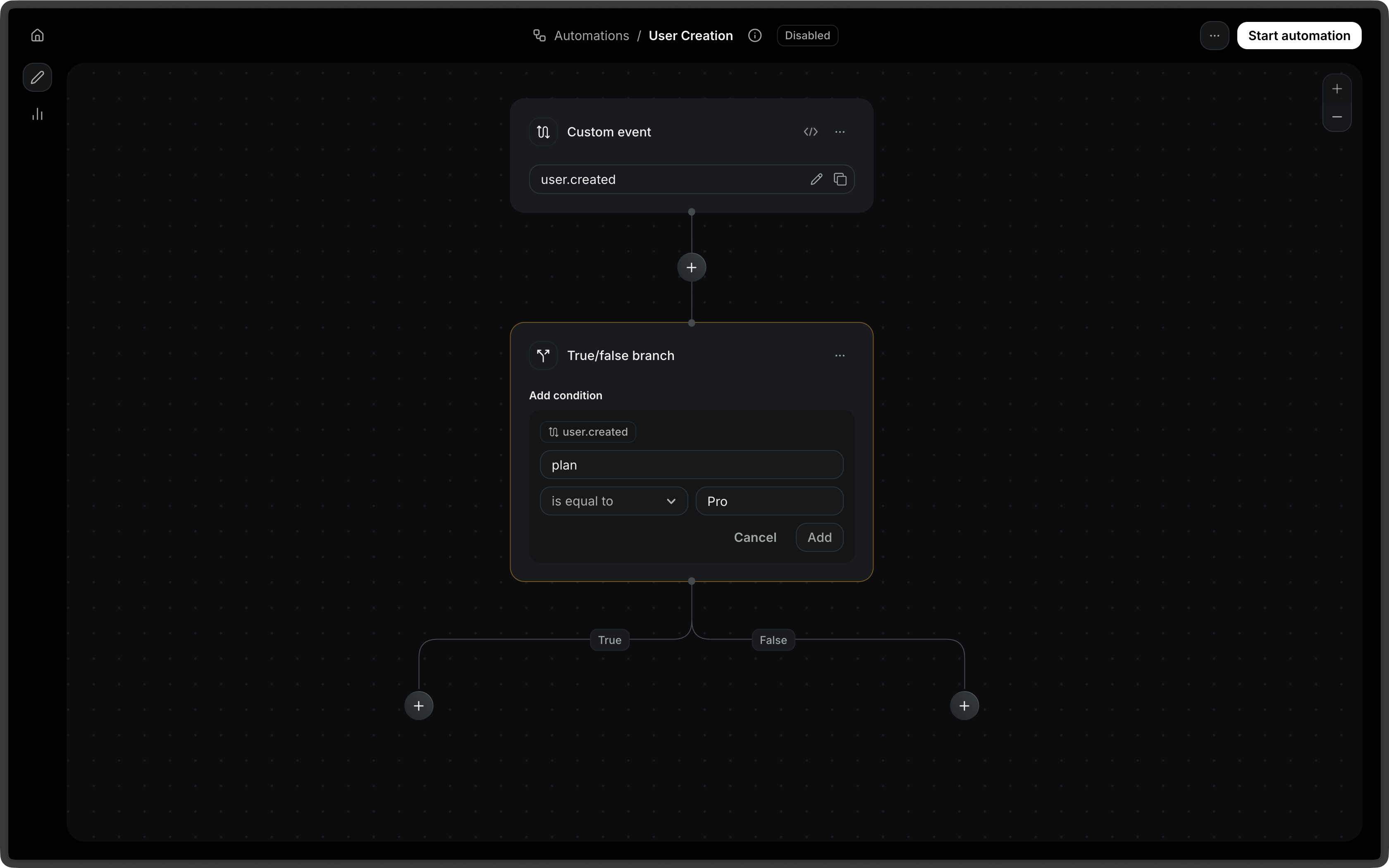
Connection types
A condition step always produces two outgoing connections.Compare against other data
A rule’svalue can reference data instead of a fixed value. This lets a condition compare two values from the Automation.
field and value can read:
event.*, the event that triggered the Automation.contact.*, the contact.wait_events.<event_name>.*, an event a previous wait for event step received. If the Automation waited for that event more than once, this is the most recent one before this step.
value that points at data that doesn’t exist never matches.
For example, after a wait for event step for order.shipped, check that the shipped order is the one that triggered the Automation:
Configuration
string
required
The type of condition node. Possible values:
ruleandor
rule type:
string
required
The field to evaluate on a condition step. Use
event. for the event that
triggered the Automation, contact. for the contact, or wait_events. for an
event received by a preceding wait for event step (for example,
event.amount, contact.email, or wait_events.order.shipped.order_id). A
wait for event filter_rule cannot use wait_events..string
required
The comparison operator. Possible values:
eq: equalsneq: not equalsgt: greater thangte: greater than or equal tolt: less thanlte: less than or equal tocontains: contains a given valuestarts_with: starts with a given valueends_with: ends with a given valueexists: field existsis_empty: field is empty
string | number | boolean | null | object
The value to compare against on a condition step. Either a fixed value or a
variable reference such as
{ "var": "event.order_id" }, using the
condition namespaces: event. (the triggering event), contact., or
wait_events. (a preceding wait for event). Not required for exists and
is_empty operators.and / or types:
object[]
required
An array of nested condition config objects. Must contain at least one item.
and or or to combine multiple rules into a single branch: